
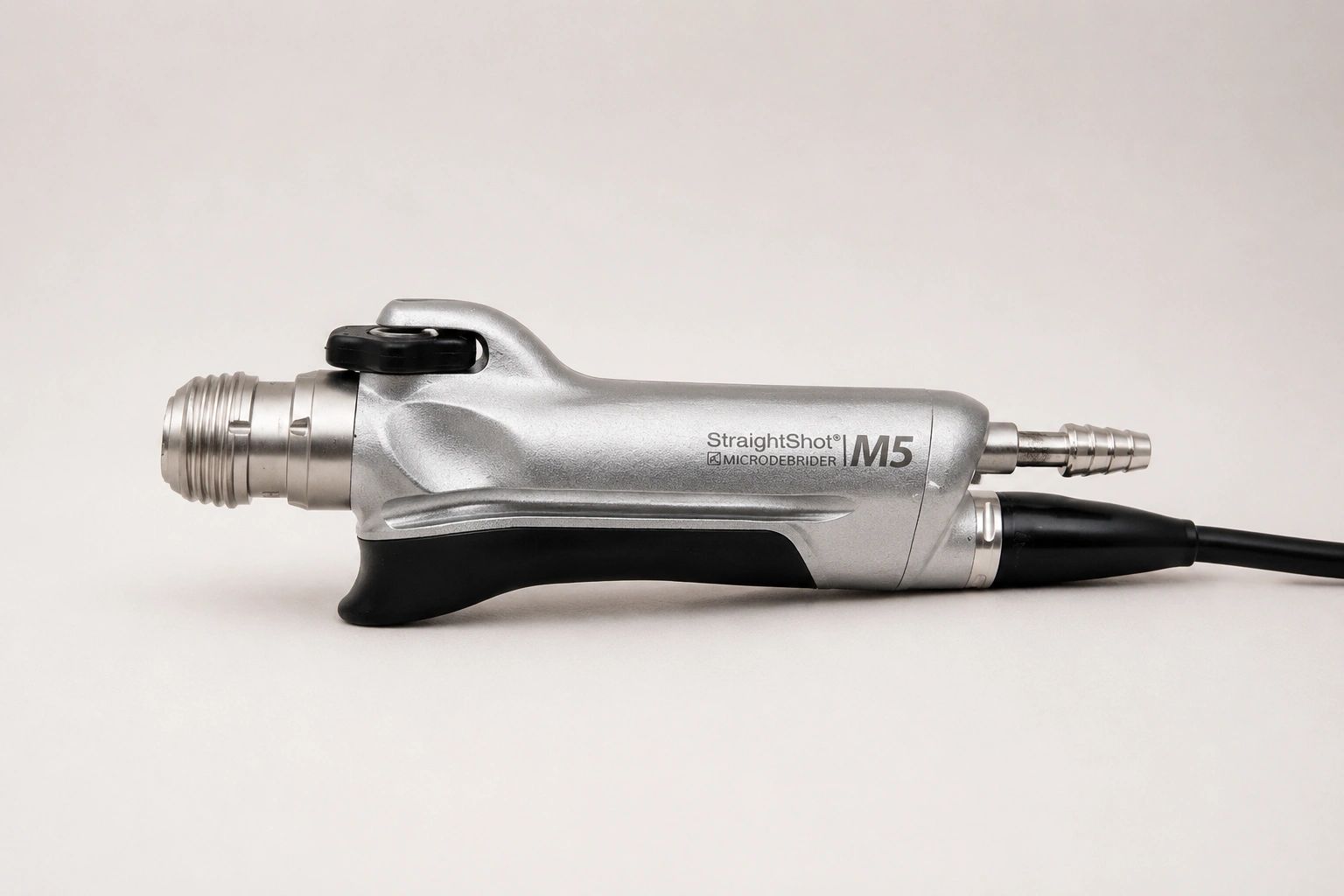
Medtronic M5 Error 11: Handpiece Not Recognized – Causes, Troubleshooting, and Repair Solutions
What Does Medtronic M5 Error 11 Mean?
If your Medtronic M5 StraightShot® Microdebrider displays Error 11 on the IPC Console, the system has detected a handpiece recognition failure. Before allowing operation, the IPC Console verifies communication with the connected handpiece. When the console cannot properly identify the device, Error 11 is generated and operation is disabled. This safeguard helps prevent equipment damage and unexpected interruptions during surgical procedures.
The Medtronic M5 StraightShot Microdebrider is widely used in ENT, sinus, rhinology, and otologic procedures because it provides precise tissue removal with continuous suction. Studies published in otolaryngology literature demonstrate the importance of maintaining powered instrumentation in proper working condition to minimize procedure delays and equipment-related complications.
Facilities experiencing persistent Error 11 often seek immediate replacement options through Simon Medical's repair and exchange program:
the Medtronic M5 Repair & Exchange service
Common Causes of Medtronic M5 Error 11
According to Medtronic IPC service documentation, Error 11 is typically associated with an unrecognized or damaged handpiece connected to the console. Common causes include damaged cables, bent connector pins, internal communication failures, moisture intrusion, and electronic component failure.
Common causes include:
- Damaged M5 cable assembly
- Bent connector pins
- Corrosion on electrical contacts
- Internal communication board failure
- Moisture intrusion following sterilization
- Excessive cable wear
- IPC Console communication faults
The most common failures we observe are cable damage near the strain relief and internal communication board failures caused by years of use and repeated sterilization cycles.
If your facility requires a replacement Medtronic M5 StraightShot Microdebrider, Simon Medical offers a dedicated repair and exchange service:
the Medtronic M5 Repair & Exchange service
How to Troubleshoot Error 11
Before replacing the handpiece, several troubleshooting steps should be performed.
Inspect the Connector
Carefully examine the connector for bent pins, debris, corrosion, or visible damage. Even minor connector damage can interrupt communication between the handpiece and IPC Console. Medtronic service documentation specifically recommends inspecting connector integrity whenever recognition faults occur.
Examine the Cable
Inspect the entire cable for cuts, cracks, pinching, or worn strain relief. Repeated coiling and handling can eventually damage internal conductors.
Test Another Handpiece
If a second M5 handpiece is available, connect it to the IPC Console to determine whether the fault follows the handpiece or remains with the console.
Test Another IPC Console
Testing on another console can help isolate whether the issue originates from the handpiece or console electronics.
Check for Moisture
Medtronic cleaning instructions emphasize avoiding excessive moisture exposure and ensuring proper drying before sterilization and use. Moisture contamination can contribute to communication failures.
Why Error 11 Often Requires Professional Repair
While some Error 11 faults result from connector contamination or cable damage, many are ultimately traced to internal electronic failures. These components are not field-serviceable and typically require professional repair or replacement.
A recent review of microdebrider-related adverse events found that device malfunctions can include broken components, overheating, and other failures that may interrupt procedures if not addressed promptly. Maintaining functional powered instrumentation is essential for efficient surgical workflow.
Many facilities choose to avoid extended downtime by utilizing Simon Medical's Medtronic M5 repair and exchange program:
the Medtronic M5 Repair & Exchange service
Reduce OR Downtime with a Repair Exchange Program
When a Medtronic M5 StraightShot Microdebrider develops Error 11, waiting weeks for traditional repair can create unnecessary delays. Simon Medical's repair and exchange program allows facilities to send in a non-working handpiece and receive a professionally tested replacement unit.
Benefits include:
- Reduced downtime
- Professionally tested replacement equipment
- 90-day warranty
- Fast turnaround options
- Support from a company specializing in ENT and spine equipment
Learn more here:
the Medtronic M5 Repair & Exchange service
Conclusion
Error 11 on the Medtronic M5 StraightShot Microdebrider typically indicates a handpiece recognition failure between the handpiece and IPC Console. Common causes include damaged connectors, cable failures, moisture intrusion, and internal communication board faults. Early diagnosis and corrective action can prevent additional downtime and equipment disruption.
If your facility is experiencing Error 11 and needs a fast solution, Simon Medical's Medtronic M5 Repair Exchange Program can help restore functionality quickly:
the Medtronic M5 Repair & Exchange service
References (AMA Style)
- Magge H, Lee E, Shaver TB, Thakkar PG, Singh A. Complications Associated with Microdebriders in Otolaryngology Procedures from 2011 to 2021: A MAUDE Study. OTO Open. 2023;7(3):e83. doi:10.1002/oto2.83.
- Medtronic. Integrated Power Console (IPC) Service Manual. Medtronic IPC System Documentation.
- U.S. Food and Drug Administration. Class 2 Device Recall – Integrated Power Console System. FDA Medical Device Recall Database.
- Saba ES, et al. Microdebrider complications in sinus surgery: Analysis of the openFDA database. World J Otorhinolaryngol Head Neck Surg. 2023.