
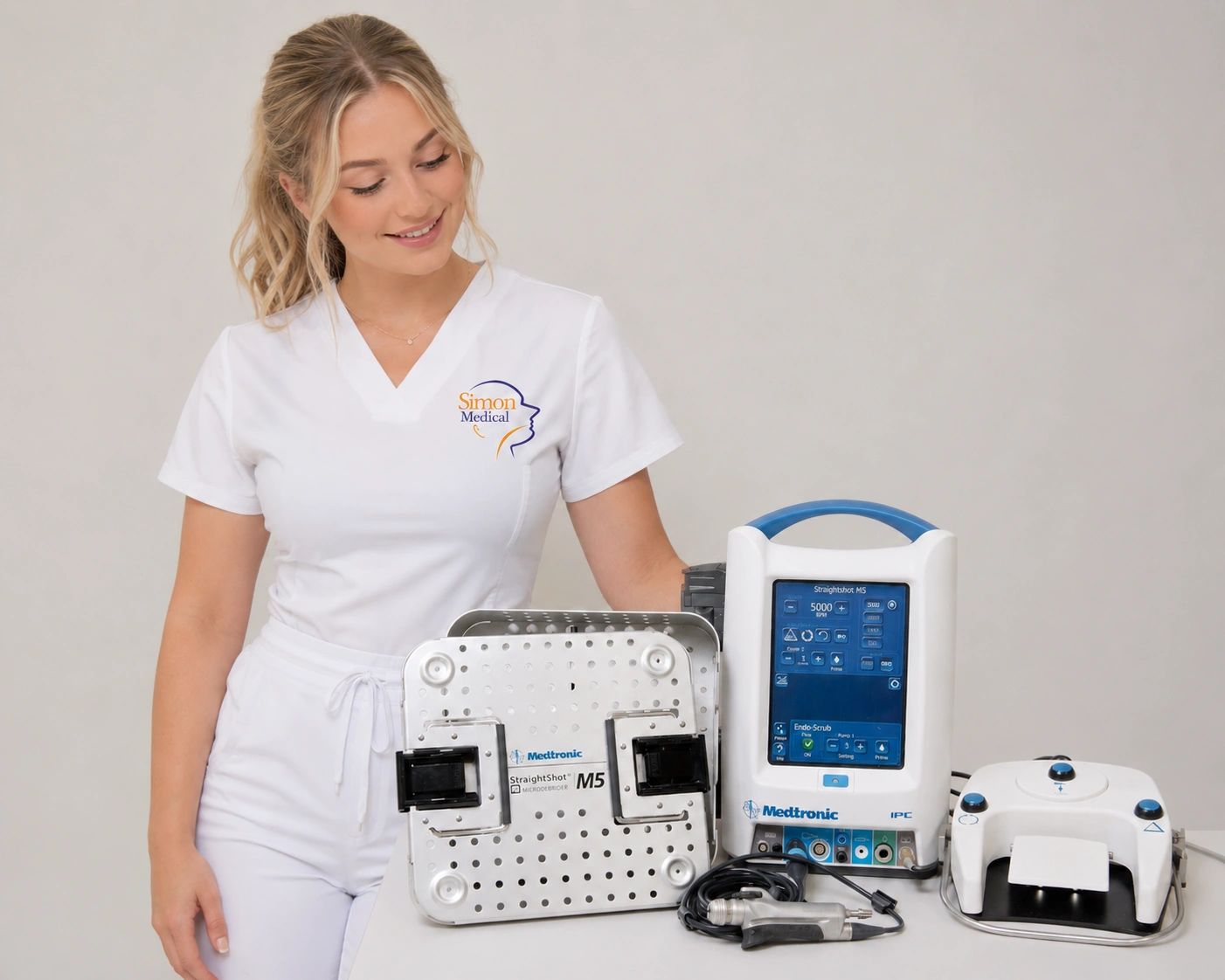
A Complete Cleaning and Sterilization Guide for the Medtronic StraightShot M5 (1899200)
Proper cleaning and sterilization are essential for maintaining the performance, longevity, and safety of the Medtronic StraightShot M5 Microdebrider. The M5 has become a widely recognized powered surgical instrument used in ENT and other surgical specialties, and following the manufacturer's recommended cleaning and sterilization procedures helps ensure reliable operation between cases.¹
Whether you are a sterile processing technician, biomedical technician, surgery center manager, or operating room professional, understanding the correct cleaning and sterilization process can help protect your investment and maintain consistent performance.
Facilities seeking a replacement or refurbished Medtronic M5 Microdebrider can view current availability from Simon Medical, Inc. here:
the Medtronic M5 StraightShot Microdebrider
Why Proper Cleaning Matters
The Medtronic cleaning guide begins with a simple but important statement:
**"Proper Cleaning is Key."**¹
Like many powered surgical instruments, the M5 contains moving internal components, irrigation pathways, suction channels, and precision mechanical assemblies. Residual biological material, detergent buildup, moisture retention, or improper sterilization practices may negatively affect performance over time.
The manufacturer provides detailed instructions designed to remove visible soil while preparing the instrument for sterilization.¹
Following these recommendations consistently helps maintain device functionality while reducing the likelihood of contamination between procedures.
Understanding the Medtronic M5 Microdebrider
The StraightShot M5 Microdebrider is a powered surgical handpiece designed to accommodate blades and burs while providing irrigation and suction functionality. The Medtronic cleaning guide identifies several important handpiece features including:
- Thumbwheel
- Collet
- Lock Lever
- Suction Port
- Irrigation Connections¹
Because these areas are exposed to biological material during use, thorough cleaning is critical before sterilization can occur.
Healthcare facilities looking for a replacement M5 system may review available inventory at:
the Medtronic M5 StraightShot Microdebrider
Step 1: Disconnect Power Before Cleaning
The first manufacturer recommendation is straightforward:
Disconnect power before cleaning.¹
This simple step helps prevent accidental activation while cleaning is being performed.
Before beginning any cleaning procedure, verify that the handpiece is no longer connected to power and that all surgical accessories have been removed.
Step 2: Remove Attachments
The Medtronic cleaning guide instructs users to remove:
- Blade or bur
- Suction tubing
- Irrigation tubing¹
The manufacturer notes that no additional disassembly is required beyond removal of these components.¹
This is important because unnecessary disassembly can increase cleaning complexity while potentially exposing sensitive components.
Manual Cleaning Procedure
Initial Rinse
According to the manufacturer, the microdebrider, cable, and tubing management clips should be rinsed under running tap water to remove visible soil.¹
During this process:
- Hold the microdebrider with the collet facing downward.
- Run water through the suction port.
- Continue rinsing until visible contamination has been removed.¹
This initial rinse helps remove gross debris before detergent cleaning begins.
Detergent Cleaning
After rinsing, Medtronic recommends using:
- Neutral enzymatic detergent
- Soft cloth
- Soft bristle brush¹
The cleaning guide specifically instructs users to wipe the motor and cable using a soft cloth dampened with neutral enzymatic detergent.¹
Following this step, the handpiece, cable, and tubing management clips should be cleaned using a soft bristle brush.¹
Cleaning the Internal Lumen
One of the most important steps involves cleaning the internal lumen of the device.
The manufacturer recommends:
- Nylon twisted brush
- Enzymatic detergent
- Thorough cleaning of the entire open lumen¹
The guide references a recommended brush diameter of 7 mm for this process.¹
Proper lumen cleaning helps remove material that may not be visible externally.
Facilities purchasing refurbished systems should always verify that cleaning and reprocessing procedures have been properly followed before clinical use.
Replacement systems can be viewed here:
the Medtronic M5 StraightShot Microdebrider
Collet Cleaning Procedure
The collet is another area specifically addressed by Medtronic.
The manufacturer instructs users to:
- Run warm water into the collet.
- Actuate the collet.
- Turn the thumbwheel several rotations.
- Continue rinsing under running water.¹
This process helps remove debris that may accumulate within the collet assembly.
Following cleaning, excess water should be shaken from the microdebrider.¹
Drying the Instrument
After cleaning has been completed, the manufacturer instructs users to:
- Shake excess water from the instrument.
- Dry the microdebrider.
- Dry the cable.
- Dry tubing management clips.
- Use a lint-free towel.¹
Thorough drying is an important step before sterilization.
Residual moisture can interfere with sterilization effectiveness and may contribute to corrosion over time.
Automated Cleaning Procedure
The Medtronic guide also provides instructions for automated cleaning.
Pre-Cleaning
Before automated cleaning begins:
- Rinse visible soil from the device.
- Use a soft bristle brush.
- Use neutral detergent solution.
- Thoroughly clean the lumen.¹
Washer Placement
The guide instructs users to:
- Remove devices from instrument trays.
- Place devices into washer baskets.
- Position the collet facing downward.¹
This positioning helps facilitate drainage during the cleaning cycle.
Automated Washer Parameters
The Medtronic document provides specific washer-disinfector parameters.
Pre-Wash
- Minimum Time: 2 minutes
- Water Type: Cold tap water¹
Wash Cycle
Neutral Enzymatic Detergent:
- 5 minutes
- Temperature below 50°C¹
Alkaline Detergent:
- 10 minutes
- 66°C set point
- pH ≤ 10.5¹
Rinse
- 1 minute
- Hot tap water¹
Thermal Rinse
- 1 minute
- Minimum temperature 82°C¹
These parameters are intended to support effective cleaning prior to sterilization.
Sterilization Overview
After cleaning is complete, sterilization can be performed.
The Medtronic guide notes that StraightShot M4 and M5 Microdebriders were validated using the STERRAD NX System standard cycle.¹
The document also includes several steam sterilization options.
Gravity Steam Sterilization
Option 1:
- 121°C (250°F)
- 40 minutes cycle time
- 25 minutes drying time or until visibly dry¹
Option 2:
- 132°C (270°F)
- 15 minutes cycle time
- 25 minutes drying time or until visibly dry¹
Pre-Vacuum Steam Sterilization
Option 1:
- 132°C (270°F)
- 4 minutes cycle time
- 25 minutes drying time¹
Option 2:
- 134°C (273°F)
- 18 minutes cycle time
- 25 minutes drying time¹
Option 3:
- 134°C (273°F)
- 3 minutes cycle time
- 25 minutes drying time¹
Each facility should follow its established sterilization protocols while ensuring compatibility with manufacturer recommendations.
Packaging Requirements
The Medtronic guide provides clear packaging instructions.
Before sterilization:
- Place devices in instrument trays.
- Wrap trays using up to two layers of 1-ply polypropylene wrap.¹
Proper packaging helps maintain sterility after processing.
Important Storage Considerations
One of the most overlooked portions of the Medtronic guide involves storage.
The manufacturer states:
"It is extremely important that the handpiece be rapidly and completely vacuum-dried before storage."¹
The guide explains that proper drying helps prevent:
- Corrosion
- Residual deposits
- Bearing damage
- Motor damage¹
This recommendation highlights why drying is just as important as cleaning and sterilization.
Avoiding Common Reprocessing Mistakes
Based on the Medtronic guidance, common mistakes may include:
- Inadequate lumen cleaning
- Failure to rinse thoroughly
- Improper drying
- Insufficient sterilization cycle times
- Improper packaging
- Storing the instrument before complete drying¹
Avoiding these issues can help maximize device longevity.
Facilities considering replacement equipment can review available inventory here:
the Medtronic M5 StraightShot Microdebrider
Why Reprocessing Matters for Equipment Longevity
The M5 Microdebrider represents a significant investment for hospitals and surgery centers.
Following manufacturer cleaning instructions helps:
- Maintain performance
- Reduce contamination risks
- Preserve internal components
- Support long-term reliability¹
Even the most advanced surgical instruments depend upon proper reprocessing to maintain consistent performance.
Purchasing a Refurbished Medtronic M5
When purchasing a refurbished M5 Microdebrider, buyers should evaluate:
- Cosmetic condition
- Functional testing
- Cable condition
Simon Medical, Inc. offers refurbished Medtronic M5 Microdebrider systems that are inspected prior to shipment.
View current inventory:
the Medtronic M5 StraightShot Microdebrider
Conclusion
Proper cleaning and sterilization remain among the most important aspects of Medtronic M5 ownership. According to the manufacturer's cleaning and sterilization guide, success begins with thorough cleaning, careful lumen maintenance, appropriate washer-disinfector parameters, validated sterilization cycles, proper packaging, and complete drying before storage.¹
By following the manufacturer's recommendations, facilities can help maintain the reliability and performance of the StraightShot M5 Microdebrider while supporting safe clinical operation.
For current availability of the Medtronic M5 Microdebrider (1899200), visit:
the Medtronic M5 StraightShot Microdebrider
References
- Medtronic. StraightShot M4/M5 Microdebrider Cleaning and Sterilisation Instructions. Medtronic cleaning and sterilization guide.